The four apps I keep on every screen


I used to brag about my apps. Cheap to buy, fast to switch. Then one Tuesday my iPad died on a flight and I had nothing to write with. A pen and a napkin. I have not been that embarrassed since middle school.
The next day I rebuilt my essentials list from scratch. Not apps that look good on a feature chart — apps that follow me from the laptop to the iPad to the phone and pick up where I left off without making me think about the sync.
I landed on four. Two of them are the obvious workhorses. Two of them are the reason I am writing this list instead of buying a fifth app.
Why cross-platform matters more than features
A feature on one platform you cannot reach from the second platform is not a feature. It is a trap. You start your day on the laptop, your phone buzzes with a half-thought you need to keep, you switch to the tablet because the keyboard is on the fritz — and the half-thought is now in a different building.
The bar I use: if I lose a device on the way to work, do I lose anything I would actually miss? If the answer is yes, the app does not qualify. The apps on this list all clear that bar without me thinking about it.
Cloud is not enough either. Plenty of apps sync. They sync the wrong thing, or they sync slowly, or they sync to a folder I never open. The four below sync the actual work, in a shape I can use on the other side, within seconds.
Affinity — for the work that is not software
Affinity Photo and Designer are my stand-ins for Photoshop and Illustrator. They run on Mac, Windows, and iPad. The files round-trip — I can start on the iPad with the Pencil, finish on the laptop, send the layered file back to the iPad to check on the move.
Yes, the Affinity suite is not as deep as Adobe. Yes, some pro tools are still only in Photoshop. But for the photo edits and vector work I actually do in a week, Affinity is enough, and the price is a one-time fee instead of a subscription that compounds my resentment every January.
The feature that pushed me over was the Pencil on iPad for sketching roughs of layouts that I later refine on the laptop. Same file. Same layers. No export-import dance.
NoteDex — the writing app I no longer leave the house without
NoteDex is what I reach for when an idea hits and I am not at my desk. It is a notes app with cards — one thought per card, drag them around, group them, search them later. It syncs across Mac, iPad, iPhone, and the Web. The cards are real on any device I open it on.
I used to use a clean markdown editor for this slot — a quiet place to write, no blog plugins, no gimmicks. NoteDex earned the slot because the cards do something a plain text file does not: they let me move ideas around without copy-paste. I write one card per thought, shuffle them into a second screen by color or by hashtag, and the whole file stops being a wall of text.
The test for me is the airplane test. Can I open the app on the iPad and find the half-baked post I started on the laptop on Monday, and finish it on the flight? NoteDex passes. The cards are there. The drafts are there. I do not have to think about the sync.
InkThink — for the thing I actually cannot afford to lose
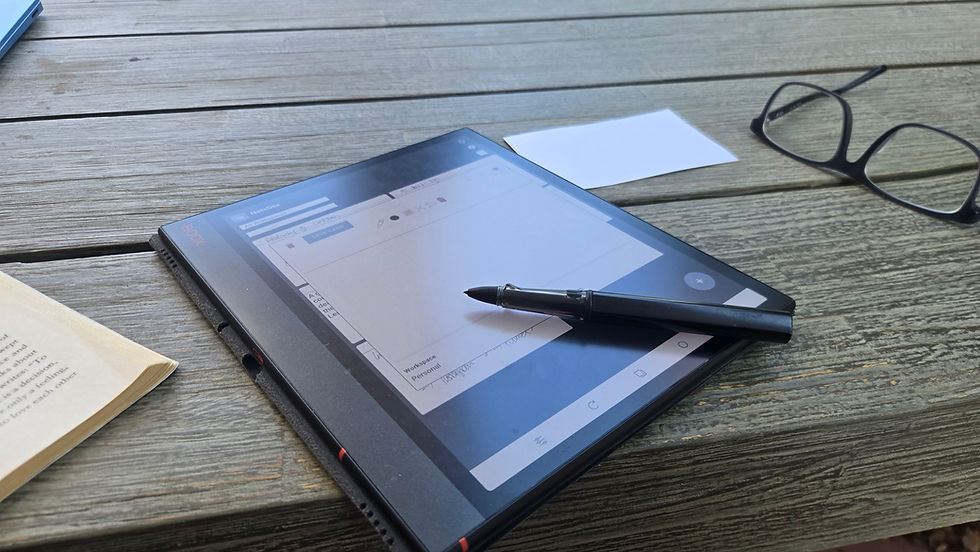
InkThink is the one on this list that does not have an obvious category. It is not a password manager. It is not a calendar. It is what happens when a planner stops trying to be software and starts being a quiet place for your week.
I lost a year to a password manager once. Not because the manager failed — it did not. Because I was using it to manage the things I cared about, and the things I cared about were not passwords. They were plans. Decks. The list of calls I owed people on Friday.
InkThink is the slot I had been filling with sticky apps that all promised to be the one place for my life. Most of them try too hard. InkThink gives me a clean canvas for the week, a place to jot the next thing, and the same canvas on every device I own. The week I am in a state of worry about lives in the same file as the week I am not.
Microsoft Office — because work is what it is
Yes, iWork is great. Yes, it is free. Yes, Numbers has features Numbers does not have. I keep going back to Office because the world outside my laptop still uses Office, and the friction of "let me export it for you" every Tuesday afternoon is not worth the savings.
Office is the only app on the list that comes with a subscription I do not love but accept. It runs on Mac, Windows, iPad, iPhone, and the Web. The files edit on the Web when I am on a machine that is not mine. It is the closest thing to a boring default that I have ever been glad to keep.
Honorable mentions that almost made it
Vectornator is free and has the same iPad-Pencil game. I went with Affinity because the rest of the Affinity suite is the rest of the Affinity suite. Vectornator is a real contender if you only need vector work.
iWork is the honest honorable mention. Free, solid, Mac-only for desktop but the iCloud.com web editor means I can poke a Numbers file on a Windows machine if I have to. If you do not need to share with anyone outside the Mac bubble, iWork is enough and you can skip the Office subscription.
The one that almost made the top four: a writing app that is so simple it disappears. NoteDex won that slot because the cards changed how I think, not just how I write. If you want the simpler version, NoteDex keeps its own slot for you too.
What to do this week
Open the apps on your phone. Open the apps on your laptop. If something is on one and not the other, ask whether it is on the other because you want it there or because the app does not sync. Anything in the second bucket is a candidate for replacement.
Then take a week with a four-app cap. Not a forever cap — a week. See what you reach for. See what you forget. The apps that follow you through the week are the ones you actually cannot live without. The rest is decoration.
Mine are Affinity, NoteDex, InkThink, Office. Two of them think with me, two of them do the boring work. The pair that does the thinking is the reason I am writing it down.