Three Apps to Boost Productivity
- Prem Sundaram

- 3 days ago
- 5 min read

I have a confession: my productivity setup kept getting bigger while my thinking stayed exactly the same. I had a note app, a task list, a calendar, and a tablet full of half-finished ideas. Every new app promised to fix the problem. None of them asked the useful question: what am I trying to make easier right now?
That question changed things. I stopped looking for one app that would run my whole life and started looking for a small set of tools with distinct jobs. The goal was not more features. It was less friction between noticing something, thinking about it, and doing the next useful thing.
The Problem With One App for Everything
The modern productivity stack is great at collecting tools and terrible at telling us which tool deserves our attention. One app wants to hold the project plan. Another wants the task list. A third wants every thought, image, meeting note, and reminder. Soon the work of remembering where things live becomes part of the work itself.
The issue is not that any one tool is bad. It is that we ask one surface to be a capture tool, a planning tool, a writing room, a database, and a second brain at the same time. The result is a workspace that feels organized until you actually need to find the idea you had three weeks ago.
A Better Test: What Job Is This Tool Doing?
A good app should make a specific behavior easier to repeat. If the behavior is writing down a thought before it disappears, the tool should get out of the way. If the behavior is shaping a rough idea into a plan, you need space to move ideas around. If the behavior is writing on a tablet, the experience should feel closer to paper than to a desktop spreadsheet.
This is the constraint I use now: one tool, one clear job. That does not mean every app must be used every day. It means each app earns its place by making one kind of thinking more natural. When the tool matches the behavior, productivity stops feeling like maintenance.
NoteDex: Make the Idea Carryable
NoteDex is the app I reach for when a thought needs a little room but not a whole project system. Its card-based approach keeps an idea visible and movable. That sounds simple, but it changes the way I work. Instead of opening a blank page and wondering where to start, I have a small place to put one idea and then decide what it needs next.
The useful part is not the card itself. It is the boundary around the thought. One card says, 'This is the thing I am working on right now.' It prevents a promising idea from disappearing into a long document where it can be mistaken for work that is already finished.

NoteDex also makes capture less precious. A quick idea can stay rough. I can write it down, add a few words, and return later. If it grows, I can move it into a larger plan. If it does not grow, it is still easier to decide what to keep and what to let go.
Quick Notes: Capture Before the Thought Disappears
Some thoughts should not become a project. They are too small, too fast, or too unfinished for a card that asks for a next action. Quick Notes is the place for those moments: a sentence from a meeting, a grocery list, a question I want to ask, a line I do not want to lose.

The important behavior is speed. Quick Notes removes the ceremony from writing something down. I do not have to decide the right folder, choose a category, or make the note look finished before I save it. The note is not trying to become a system. It is simply evidence that I noticed something.
That distinction keeps the main workspace calmer. The small things no longer compete with the ideas that deserve attention. And because capture is easy, I am less likely to postpone a useful thought until I have time to organize it properly.
I like how you can record audio and get transcription, and even use local AI if you want.
InkThink: Put Handwriting Back in the Work
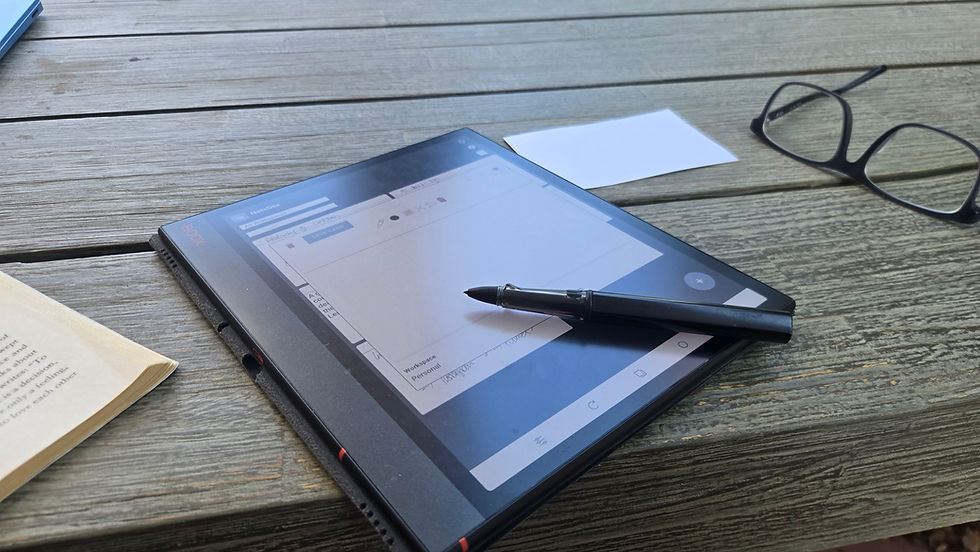
There is a different kind of thinking that happens when the hand is moving across a page. InkThink is for that mode: writing on a tablet without pretending the tablet should behave like a laptop. The surface is made for notes, sketches, plans, and the loose marks that often carry the first shape of an idea.

A handwriting tool works best when it supports imperfection. I want to circle something, draw a line between two thoughts, write a rough list, and then cross half of it out. The value is not producing a perfect digital page. It is keeping the thinking active while it is still changing.
InkThink also gives planning a visual rhythm. A calendar, checklist, and sketch can sit near one another. That makes it easier to see the week as a collection of moving parts instead of a long list of obligations.
Why Three Apps Work Better Than One
NoteDex, Quick Notes, and InkThink are not three versions of the same product. They represent three different moments in the work: capture, shape, and explore. Quick Notes catches the thought before it disappears. NoteDex gives the idea a boundary and a place to grow. InkThink lets me work through something with a pen when typing makes the idea feel too fixed.
Keeping those moments separate also makes each tool easier to learn. I do not have to search a giant feature list to find the one action I need. I know that if I am trying not to lose a thought, I open Quick Notes. If I am turning an idea into something I can move around, I open NoteDex. If I need to think visually, I open InkThink.
The stack is not a collection of subscriptions or a new identity to maintain. It is a set of defaults. The default matters more than the feature list because productivity is mostly what happens when no one is deciding what to do next.
The Real Productivity Upgrade Is Choosing
The best productivity system is not the one with the most impressive dashboard. It is the one that helps you make better choices about attention. That starts with asking what kind of work you are doing, then choosing the tool that makes that work feel possible.
I still change my setup. I still download a new app and play with it for a week. The difference is that I no longer judge the app by how much of my life it could theoretically contain. I judge it by the next behavior it makes easier.
If you want a simple place to begin, pick one moment that keeps slipping away: the thought you forget, the plan you postpone, or the writing that feels too rigid. Then choose the smallest tool that makes that moment easier. That is how a three-app stack becomes a system instead of another folder of good intentions.
A Simpler Stack to Start With
Start with the moment that causes the most friction. Use Quick Notes when capture is the problem. Use NoteDex when ideas need a visible boundary and a way to grow. Use InkThink when the work needs the freedom of handwriting and the convenience of a tablet.
You do not need to rebuild your entire life around a new productivity philosophy. Try one app for a week with one rule: no judgment, only notice what becomes easier. If the answer is nothing, let it go. If one behavior becomes lighter, keep the tool and build from there.
That is the real promise of a smaller stack. Not more output for its own sake. More moments where an idea is not lost, a plan is not buried, and a tool is helping instead of asking you to manage it.