
iPad Note-Taking Apps with Apple Pencil Support

If you’re like me, you know that the iPad paired with the Apple Pencil is a game-changer for note-taking. Whether you’re jotting down ideas, sketching diagrams, or organizing your thoughts visually, having the right app can make all the difference. I’ve spent a lot of time testing various iPad note-taking apps, and I’m excited to share what I’ve found. Let’s dive into some of the best options that truly shine with Apple Pencil support.
Why You Need a Great iPad Note-Taking App
Using an iPad with an Apple Pencil is like having a digital notebook that’s smarter and more flexible. But the magic really happens when you pick the right app. A good note-taking app should:
Respond smoothly to your Apple Pencil’s pressure and tilt
Offer easy organization tools for your notes
Support handwriting recognition and search
Allow you to mix typed text, drawings, and images
Sync across devices so your notes are always with you
Without these features, your note-taking experience can feel clunky or frustrating. The right app turns your iPad into a powerful productivity tool, whether you’re in a meeting, lecture, or brainstorming session.

Top iPad Note-Taking Apps That Work Perfectly with Apple Pencil
Here’s a quick rundown of some standout apps that I’ve found to be incredibly effective for note-taking with the Apple Pencil:
1. Notability
Notability is a favorite for many because it combines handwriting, typing, audio recording, and PDF annotation in one place. The Apple Pencil feels natural here, with smooth ink flow and palm rejection. You can organize notes by subjects and dividers, making it easy to keep everything tidy.
Why I like it:
Audio sync lets you record lectures or meetings while taking notes
Easy to import and annotate PDFs
Multiple paper styles and colors
2. GoodNotes
GoodNotes is another powerhouse app that’s perfect for those who love handwritten notes. It offers excellent handwriting recognition, so your scribbles become searchable text. Plus, it supports folders and subfolders for organizing your notes.
Why I like it:
Realistic pen and paper feel
Shape recognition to tidy up your drawings
Powerful search across all your notes
3. NoteDex
NoteDex stands out with its unique index card system. Instead of long pages, you create and organize notes on cards, which is fantastic for visual thinkers and researchers. It’s a fresh way to organize ideas and information, especially if you like to see everything at a glance.
Why I like it:
Visual card-based layout for easy organization
Supports handwriting and typed notes
Great for brainstorming and project planning
4. Microsoft OneNote
OneNote is a solid choice if you want a free, cross-platform app that handles handwriting well. It’s flexible, allowing you to mix typed text, drawings, and images on the same page. The Apple Pencil works smoothly here, and syncing with other devices is seamless.
Why I like it:
Free and integrates well with Microsoft Office
Flexible note layout with sections and pages
Good handwriting-to-text conversion
5. Apple Notes
Don’t overlook the built-in Apple Notes app. It’s simple but surprisingly powerful, especially with recent updates. It supports Apple Pencil for drawing and handwriting, and your notes sync effortlessly across all your Apple devices.
Why I like it:
Free and pre-installed on every iPad
Simple interface with solid Apple Pencil support
Quick access and easy sharing
If you want to explore more, you can check out the best ipad note taking app with apple pencil for a unique approach to note-taking that might just change how you organize your thoughts.
Is GoodNotes for iPad free?
This is a question I get a lot. GoodNotes is not free, but it offers a one-time purchase model rather than a subscription. That means you pay once and get full access to the app’s features without ongoing fees. There’s also a free trial available, so you can test it out before committing.
The price is reasonable considering how powerful and polished the app is. If you’re serious about handwritten notes and want a reliable app that feels natural with the Apple Pencil, GoodNotes is worth the investment.
How to Choose the Right App for Your Needs
With so many options, how do you pick the best iPad note-taking app for you? Here are some tips based on what you might need:
For students: Look for apps with audio recording and PDF annotation like Notability. Being able to record lectures while taking notes is a lifesaver.
For professionals: Choose apps with strong organization features and cross-device syncing, such as OneNote or GoodNotes.
For visual thinkers: Try NoteDex’s card-based system to organize ideas visually and avoid long, overwhelming pages.
For casual note-takers: Apple Notes is simple, free, and effective for quick notes and sketches.
Also, consider how much you want to spend. Some apps are free or low-cost, while others require a purchase or subscription. Try out free trials when available to see which app feels most natural with your Apple Pencil.
Tips for Getting the Most Out of Your Apple Pencil with Note-Taking Apps
Using the Apple Pencil effectively can really boost your productivity. Here are some quick tips:
Customize your pen settings: Many apps let you adjust pen thickness, color, and opacity. Find what feels best for your handwriting style.
Use gestures: Learn the app’s gestures for undo, redo, and erasing to speed up your workflow.
Take advantage of layers: Some apps support layers for drawings, which is great for complex diagrams.
Try handwriting-to-text: If you want searchable notes, use apps that convert handwriting to text. It’s a huge time saver.
Organize regularly: Keep your notes tidy with folders, tags, or cards to find things quickly later.
Why NoteDex Could Be Your New Favorite
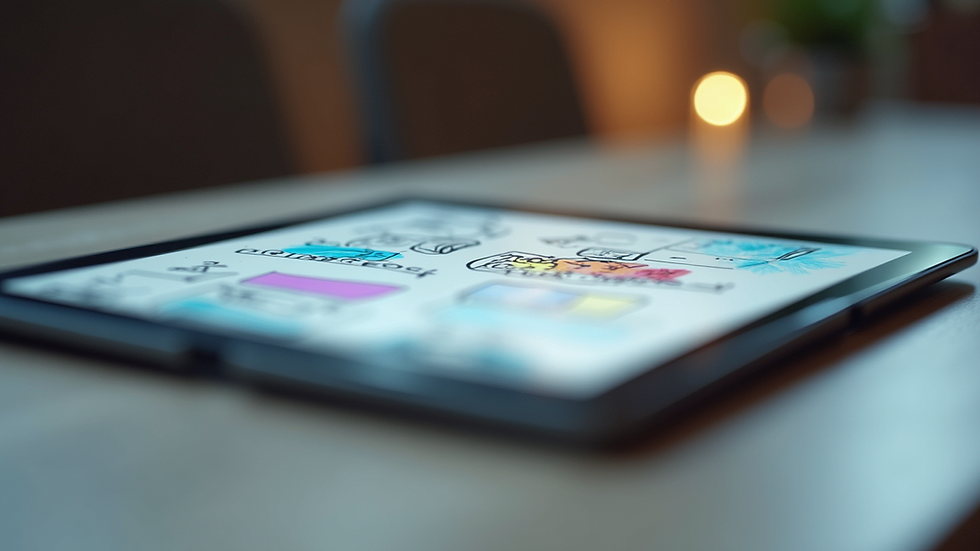
If you’re looking for something a bit different, NoteDex offers a fresh take on note-taking. Instead of traditional pages, you get index cards that you can shuffle, group, and organize visually. This approach is perfect if you like to see your ideas laid out like a storyboard or mind map.
NoteDex supports Apple Pencil beautifully, letting you write, draw, and highlight on each card. Plus, it syncs across platforms, so you’re not locked into just the iPad. This makes it a fantastic tool for researchers and anyone who needs to organize complex information visually.
Give it a try if you want to break free from the usual note-taking apps and try something that helps you think differently.
There you have it - a solid guide to the best iPad note-taking apps with Apple Pencil support. Whether you want something simple or a powerhouse app with tons of features, there’s an option here for you. Grab your Apple Pencil, pick an app, and start turning your iPad into the ultimate note-taking machine!


