
Effortless Ways to Print Perfect Index Cards at Home
- Prem Sundaram

- Mar 30
- 4 min read
Index cards are an excellent tool for organizing information, studying, or even creating flashcards. They offer a versatile way to keep your notes handy, whether you're a student, teacher, or just someone who loves to jot down reminders. Today, we will explore easy ways to print perfect index cards at home.
Index Card Printing Tips
Printing index cards can seem challenging, but with a few simple tips, you can achieve professional results. First, make sure you have the right supplies. Standard index cards come in various sizes, including 3x5, 4x6, and even larger sizes. You can purchase blank index cards from your local store or online.
If you want to take a creative approach, consider using card stock paper. Card stock is thicker than regular printer paper, providing durability. Plus, it offers a more premium feel to your index cards.
When preparing your design, you might use software like Microsoft Word, Google Docs, or any graphic design tool to create your templates. Pay attention to margins and spacing—they are crucial for ensuring that the text or images fit properly on the cards.

Choosing the Right Printer Settings
The next step involves adjusting your printer settings for optimal results. Before printing, go into your printer's properties and select the correct paper type—choose "card stock" or "photo paper," depending on your material. This option allows your printer to apply the right amount of ink and adjust the printing mechanism accordingly.
Another consideration is the print quality. For professional-looking cards, select "high-quality" or "best" resolution in your settings. This adjustment will make a notable difference in the clarity of text and images on your cards.
It's also wise to run a test print on a regular piece of paper first. This test will help you confirm the alignment and layout before committing to your card stock.

How do I print to a 3x5 notecard?
Printing to a 3x5 notecard is straightforward when you follow some specific steps. Start by creating your document with the correct dimensions; many word processors allow you to set custom page sizes like 3x5 inches.
Once you've designed your card, it's essential to set the printer settings appropriately. As mentioned earlier, select the card stock option if you’re using thicker paper. If the printer has a manual feed option, use that to prevent jams or misalignments. Always align the card manually to ensure that it fits snugly during the printing process.
After selecting the paper type and setting the dimensions, conduct a test print on regular paper to make sure everything aligns correctly. Finally, load the notecards into the printer and hit print!
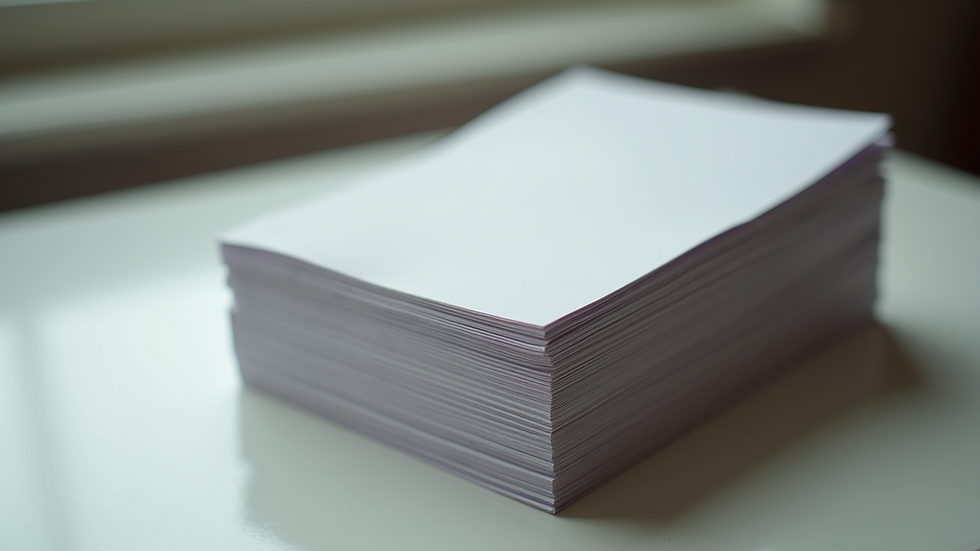
Creative Layout Ideas for Your Index Cards
Once you have the basics down, you can get creative with your index cards. Depending on your needs, you might want to design them for different purposes. Here are some ideas to inspire you:
Color-Coding: Use different colors for different subjects or projects. This visual cue makes it easier to locate the cards you need quickly.
Mind Mapping: Design your cards to include keywords or phrases related to a central theme. This method can help in studying for exams or brainstorming ideas.
Flashcards: For learning vocabulary or foreign languages, design one side with the word and the other with the definition or translation.
Contact Information: Customize cards to jot down essential contact information. These can be handy for networking events or meetings.
Daily Reminders: Use them to create motivational quotes or daily reminders, placing these cards in visible places like a workspace or kitchen.
By personalizing your index cards, you not only make them practical but enjoyable to use.
Troubleshooting Common Printing Issues
Even the most prepared individuals can run into issues while printing. Here are some common problems and their solutions:
Misalignment: If your text isn't aligning correctly, double-check your settings. Ensure that the custom page size is set to match the dimensions of your index cards.
Ink Smudging: If you're using a standard printer, ensure that the card stock is compatible with your printer type. If smudging occurs, allow the cards to dry fully after printing.
Jams: Avoid overloading the printer's feeder with too many cards. It's often best to print in smaller batches to prevent jams.
By troubleshooting these issues, you can ensure a smoother printing experience.
Making the Most of Your Printed Index Cards
Having designed and printed your index cards, think about ways to maximize their utility:
Review Quickly: Use index cards for quick reviews before tests or presentations. Their compact size makes them easy to carry, allowing you to pore over notes on the go.
Practice Pairing: If you're studying a language, you might use index cards to pair vocabulary words with images or mnemonic devices. This technique helps with memory retention.
Share and Collaborate: If you're working with a study group, share your cards for collaborative learning. Everyone can bring their unique perspectives into discussions.
Organize Digitally: To complement your physical cards, consider typing out your notes as digital files. This method allows for backup and easy access should you misplace your physical cards.
By utilizing your printed index cards in these ways, you can enhance your studying or organizational strategies.
In conclusion, mastering the art of printing index cards at home doesn't have to be a complicated task. With the right supplies, printer settings, and creative ideas, you can create professional-quality cards that serve your needs. So why not start today and print index cards that reflect your unique style? Happy printing!


